Module 7: Global Hub Compliance Grafana (Mode 2 Only)
Objectives
-
Access Multicluster Global Hub compliance Grafana (PostgreSQL) — not AMQ metrics
-
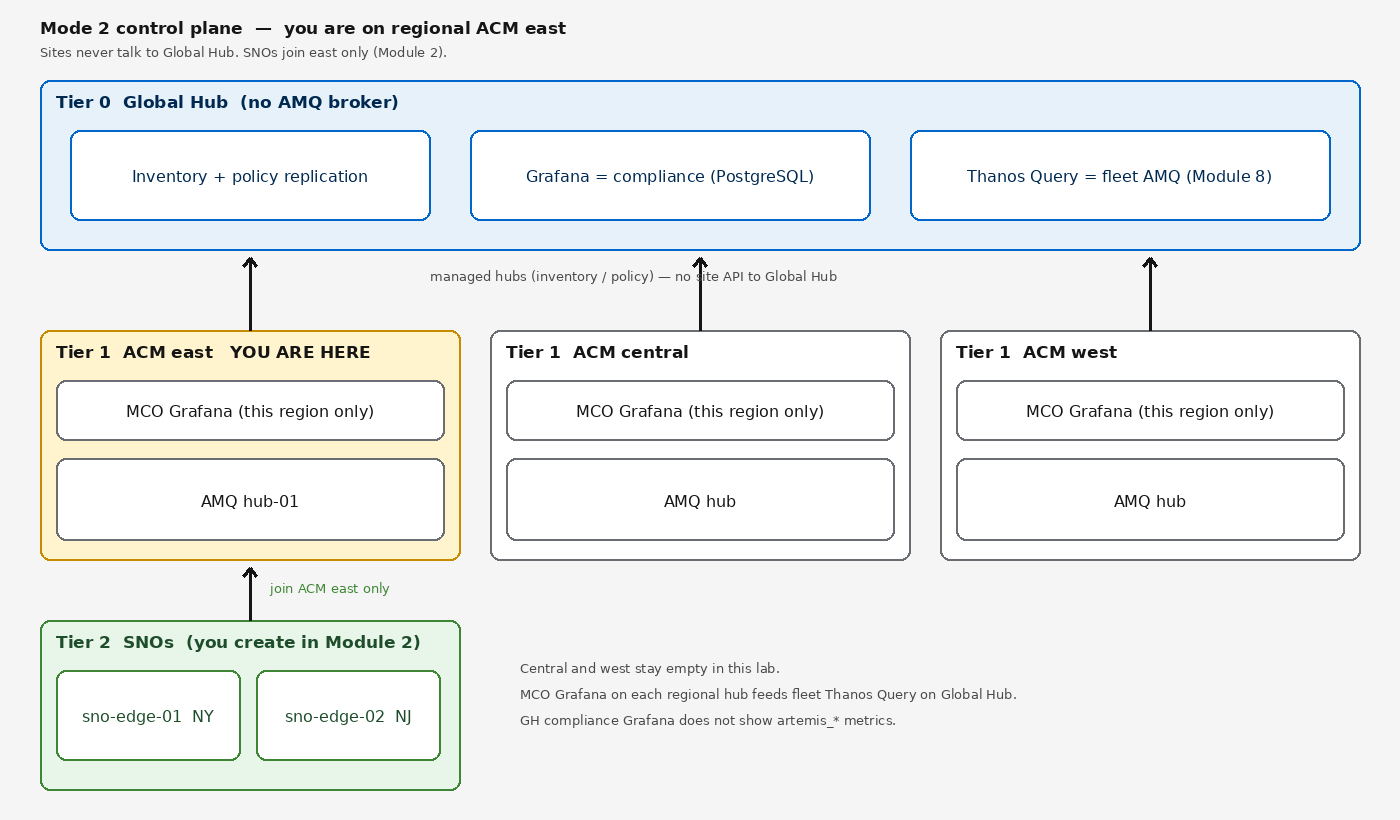
View policy compliance and inventory across the three regional ACM hubs
-
Confirm sites you added in Module 2 appear under the east managed hub
| This module applies only to Mode 2. If you are running Mode 1, skip to Module 8. |
Global Hub Grafana is compliance only. It does not merge artemis_*. Fleet AMQ Grafana is Module 8 (regional MCO + extra Thanos Query on Global Hub).
|
Background
Steps
0. Log In to the Global Hub
Your Showroom terminal is logged in to the regional hub by default. This module targets the Global Hub — a separate cluster.
oc login --insecure-skip-tls-verify=false -u user1 -p {global_hub_password} {global_hub_api_url}Verify you are on the Global Hub:
oc whoami --show-serverYou should see the Global Hub API URL, not your regional hub.
1. Verify All Regional Hubs Are Visible
Confirm the Global Hub has inventory of all three regional hubs:
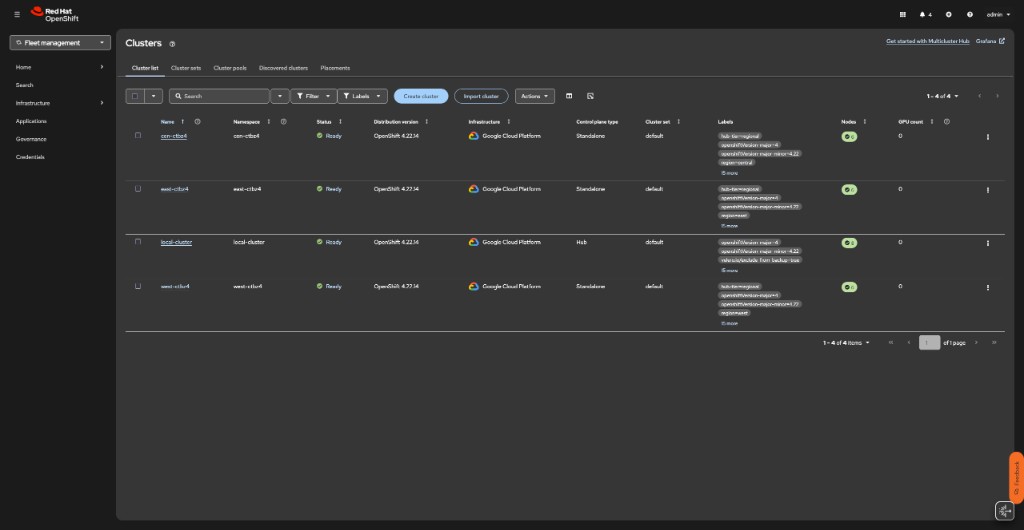
oc get managedclustersNAME HUB ACCEPTED MANAGED CLUSTER URLS JOINED AVAILABLE AGE
cen-<guid> true https://api... True True ...
east-<guid> true https://api... True True ...
local-cluster true https://api... True True ...
west-<guid> true https://api... True True ...All three regional hubs (east, cen, west) must show JOINED=True and AVAILABLE=True. If a hub is missing, the compliance dashboard will not show its policies. See Verify Hub-of-Hubs (Mode 2) for troubleshooting.
2. Access Global Hub Grafana
Get the Grafana route:
echo "https://$(oc get route multicluster-global-hub-grafana -n open-cluster-management -o jsonpath='{.spec.host}')"Open the URL in your browser and log in with OpenShift credentials.
3. View Fleet Compliance
In the Grafana dashboard:
-
Select the Global Hub - Policy Compliance dashboard
-
Observe compliance across regional hubs east, central, and west
-
After Module 2, the NY/NJ SNOs appear in inventory under the east managed hub — they are not Global Hub managed clusters
4. Cross-Hub Cluster Inventory
oc get managedclusterset -Aoc get placement -AThe Global Hub aggregates cluster inventory from the three regional hubs. Sites never talk to Global Hub.
5. Verify there is no AMQ broker on Global Hub
oc get activemqartemis -AExpected: no hub-01-broker (or any AMQ CR) on Global Hub. The AMQ hub for east is on this regional cluster (oc get activemqartemis -n artemis here).
6. Return to Regional Hub
Log back in to your regional hub before continuing to Module 8:
oc login --insecure-skip-tls-verify=true -u user1 -p '(workshop password)' https://api.hub.example.gcp.redhatworkshops.io:6443Verify with oc whoami --show-server — you should see your regional hub API URL, not the Global Hub.